Content Audit For YouTube Creators (Free Template)
A practical workflow to find what to keep, fix, repurpose, and retire
Use this content audit template for youtube creators to turn long-form ideas repurposed into social clips into specific content decisions, next actions, and scheduled posts.
Quick download
Get the free content audit template
Download the worksheet now, jump to the template section, or preview the fields before reading the full guide.
Start with the decision youtube creators need to make
A content audit template is only useful if it ends with a decision. For youtube creators, that decision is usually what to repeat, what to fix, what to repurpose, what to retire, and what to test next.
The workflow should not begin with a blank content calendar. It should begin with evidence: the goal of the content, the useful signal it created, the weak signal that limited it, and the audience language that explains why people cared.
- Name the content goal before judging performance.
- Separate useful signals from vanity metrics.
- Copy exact audience language before summarizing it.
- Choose one next action for every reviewed item.
Map content audit signals to calendar changes
The best workflow for youtube creators connects review notes directly to the publishing calendar. If a post created useful replies, it should become a follow-up. If a hook failed but the idea was strong, the calendar should include a rewritten version.
This is where many content systems break. Teams collect numbers, talk about what worked, then leave the calendar unchanged. The template below prevents that by forcing every row to produce a next action.
- Keep posts that created the right audience signal.
- Fix ideas with weak packaging but strong intent.
- Repurpose strong ideas into platform-native formats.
- Retire content that creates shallow attention from the wrong audience.
Use audience language to avoid generic content
Original audience language is the fastest way to make this workflow valuable. Instead of asking AI for generic angles, start from the phrases people actually used in comments, DMs, replies, reviews, sales calls, or support questions.
Those phrases can become hooks, captions, FAQ posts, launch objections, carousel slides, and product education. They also make the final content sound connected to a real audience instead of a recycled prompt.
- Save repeated questions as future educational posts.
- Save repeated objections as trust-building posts.
- Save repeated desires as stronger CTAs.
- Save surprising phrases as new hook tests.
Turn the template into a Repping.AI workflow
Repping.AI helps youtube creators turn this template into execution. Keep decisions can become reusable templates. Fix decisions can become rewritten captions. Repurpose decisions can become platform-specific drafts. Test-again decisions can become scheduled experiments with a success signal attached.
The goal is to close the loop between learning and publishing. A worksheet is useful, but the real value appears when the findings change next week's posts, approvals, and analytics review.
Workflow visuals
An original Repping.AI workflow visual showing how youtube creators can move from raw content inputs to decisions, owners, and calendar changes.
Image: Original Repping.AI generated workflow visual
Charts and examples
Sample decision weight for content audit
This original chart shows how youtube creators should weight content signals before deciding what to repeat, fix, repurpose, or retire.
Illustrative example, not measured customer results.
Comments, replies, DMs, and sales-call phrases that can become better content.
Evidence that the format can work again with a new example or angle.
Clicks, bookings, signups, qualified replies, or product interest.
Whether the idea matched how people use the platform.
Source: Repping.AI sample content audit framework, July 2026
Reference tables
Content Audit fields that create action
Use this table as the original data structure for a practical content audit review.
| Field | What to record | Decision it should create |
|---|---|---|
| Goal | The job this content should do for youtube creators | Compare the content against the right outcome |
| Useful signal | The strongest save, reply, click, DM, watch-time, or conversion signal | Decide what deserves more calendar space |
| Weak signal | Where the hook, CTA, format, timing, or audience fit broke down | Choose the part to rewrite before publishing again |
| Audience phrase | Exact wording from comments, replies, DMs, reviews, or calls | Create sharper hooks, FAQs, and offer copy |
| Next action | Keep, fix, repurpose, retire, or test again | Move the decision into the next content calendar |
Source: Original Repping.AI content audit worksheet
GIF demonstrations
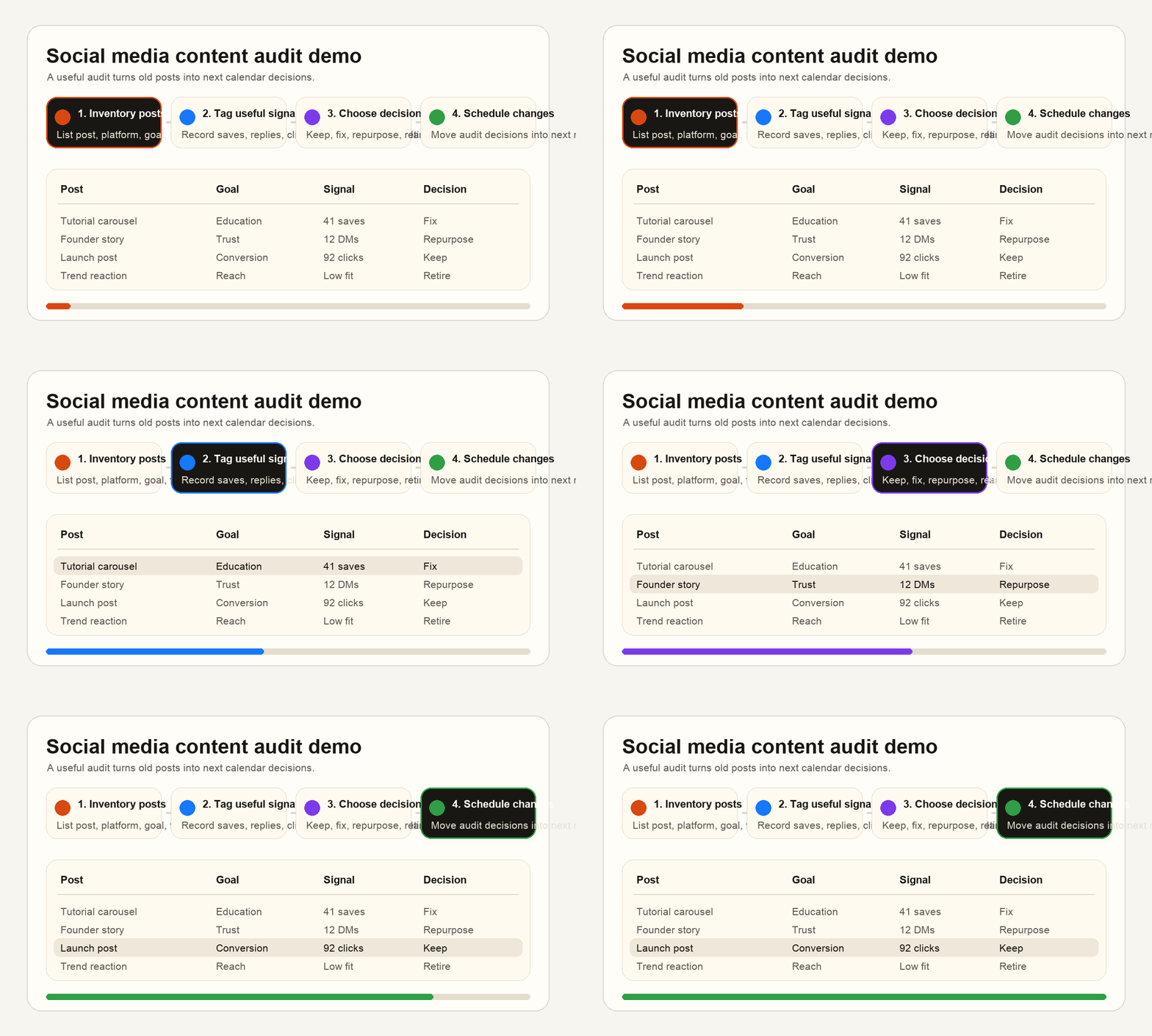
A short workflow demo showing how youtube creators can collect signals, tag decisions, and move the result into a publishing calendar.
Interactive tool
Content Audit readiness scorecard
Check these items before calling the workflow finished. A useful review should change what gets published next.
Downloadable template
Download the content audit template
Use the markdown worksheet to run the workflow, collect real evidence, and turn the output into scheduled content.
Download templateFrequently asked questions
What should a content audit template include?
It should include the content goal, useful signal, weak signal, audience language, decision tag, owner, due date, and the calendar change that follows from the review.
How often should youtube creators run this workflow?
Run a light version weekly for calendar decisions and a deeper version monthly or after a launch, campaign, content sprint, or positioning change.
How does this avoid thin AI content?
The workflow starts from original signals, real audience phrases, and specific next actions. AI can help draft, but the evidence and decisions come from the creator or team.
Sources and references
Used to keep the article focused on original, useful guidance rather than thin content.
Used for metric categories such as reach, engagement, conversions, and reporting context.
Used as a platform-specific reference for reviewing LinkedIn Page analytics.
Related reading
Best Social Media Scheduler for Creators in 2026: what to know, what to compare, and how Repping.AI helps teams turn the advice into scheduled content.
The best Buffer alternatives in 2026 compared on features, platforms, AI, and price — for creators, brands, and agencies who've outgrown Buffer.
The 12 best social media scheduling tools in 2026, ranked and compared on platforms, AI, analytics, team workflows, and pricing posture.
Related product pages
Want the workflow, not just the advice?
Get the scheduler, AI drafting, approvals, and reporting context in one workspace so these playbooks are easier to run in practice.
No credit card required.
Used by
Plan, create, and schedule it all in one place
Repping.AI brings multi-platform scheduling, AI-assisted creation, and team collaboration into a single workflow.
Start free